
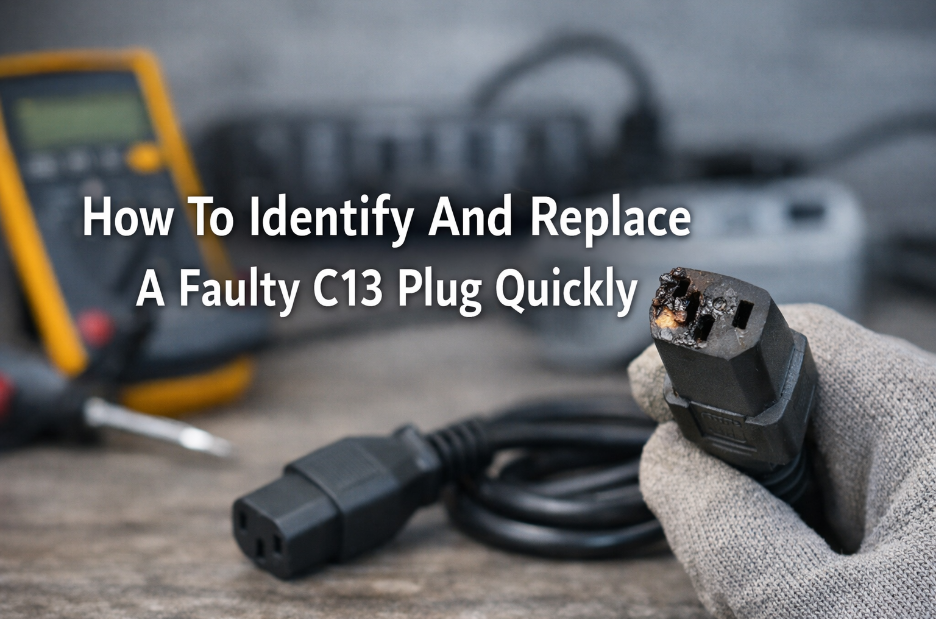
Power interruptions usually start with small signs that go unnoticed. Devices restart unexpectedly, plugs feel loose, or equipment shuts down during critical tasks. As a result, productivity starts to decline, and frustration accumulates, particularly if the problem appears unclear. Many cases of power problems come back to depleted or damaged connectors and not the equipment.
Moreover, delays in inspection lead to more risks such as overheating, power loss, or device damage. Quick identification and proper replacement help to provide reliability without a costly amount of downtime. Therefore, it becomes important to know what to check and how to react in order to keep power connections both safe and efficient.
This article explains how to promptly find a bad plug and change it safely and efficiently.
1. Recognize Early Warning Signs Before Failure Occurs
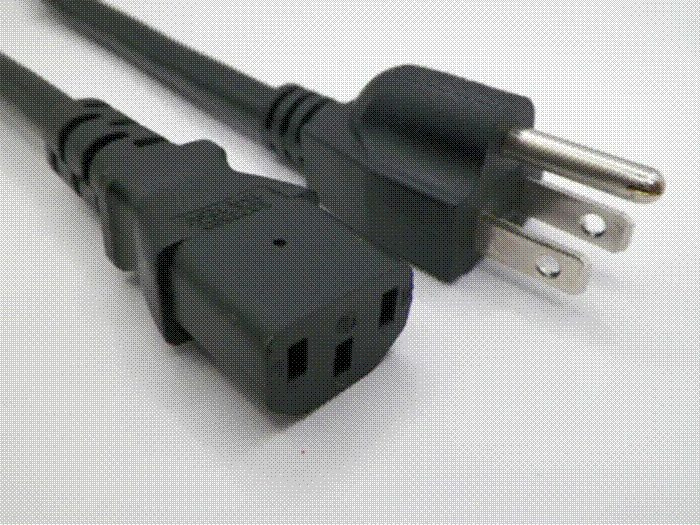
The first step to preventing equipment downtime is understanding the development of connector problems. A faulty C13 plug rarely fails without giving warning signs. Instead, smaller performance changes become apparent first.
For example, devices can occasionally flicker, restart, and temporarily lose power when the cord shifts. Similarly, loose connections frequently are a cause of intermittent shutdown. These problems reflect loose internal contacts or cable strain.
In addition, visible signs should be paid attention to. Cracks in the connector housing, bent pins, or melted plastic signify overheating or mechanical damage. In some instances, the cords can be prone to feeling unnaturally warm during the operation, indicating the accumulation of resistance in the internal connector.
Furthermore, cable strain near the plug is another fairly major indicator. Frequent bending or pulling results in stretching of internal wiring, which will eventually shut down the connection. Office setups, server racks, and home workstations are known to have this issue caused by cable tensions or bad cable routings.
Therefore, checking connectors during regular equipment checks makes it easy to detect the problem in advance. Unexpected shutdowns are avoided, and costly devices are saved by taking quick action.
2. Identify Common Causes Behind Plug Damage
Understanding why the connectors fail helps prevent the problem from occurring again after replacement takes place. Several factors contribute to premature plug wear.
Firstly, repeated unplugging causes internal contact springs to become weak. Over time, connections loosen, and power delivery becomes inconsistent. Similarly, improper removal by pulling the cable instead of the C13 plug damages internal wiring.
Secondly, the cable strain plays a major role. Tight cable routing or heavy equipment placed on the cables slowly destroys conductors near where the cable enters the plug. Eventually, wires loosen or break internally.
Moreover, exposure to sources of heat increases the rate of deterioration. C13 Plugs located near power supplies or crowded equipment racks often have higher temperatures. Heat softens plastic housings and causes internal network failure.
Ducts and moisture also cause problems with connectors. Debris inside plug contacts interferes with the flow of electricity, causing sparking or overheating.
Therefore, identifying root causes means that replacement plugs that have a longer life and that will be able to operate safely under normal working conditions.
3. Perform Safe Inspection Before Replacement
Before replacing any connector, safety is of vital importance. Inspection should never take place when equipment is powered.
Firstly, make sure you unplug the device completely from the power source. This step prevents accidental shocks and damage to the equipment. Once disconnected, inspect the plug carefully under good lighting.
Next, examine the connector housing for cracks, discoloration, or burn marks. These signs suggest overheating or electrical arcing. Additionally, examine the entry point for any fraying or exposed wiring of the cables.
Furthermore, check for loose internal wiring by gently moving the cable near the plug. If the power cuts in and out during movement, this can cause damage to internal conductors. In some cases, connectors appear intact externally, while internal pins get worn.
Therefore, comparisons with the new connector and the faulty C13 connection often help discover the subtle differences in alignment or stability of the pins.
4. Choose Right Replacement Connector or Cable
Once damage is confirmed, selecting the proper replacement ensures long-term reliability. Not all power cords or plugs deliver equal performance.
Firstly, verify voltage and current ratings match equipment requirements. Using lower-rated connectors increases overheating risks and shortens lifespan.
Next, consider cable thickness and insulation quality. Heavier gauge cables typically handle higher loads and resist wear better. Durable insulation also prevents damage from friction or bending.
Additionally, length matters. Excessively short cables create tension, while overly long cables encourage tangling. Proper cable length improves airflow and reduces strain on connectors.
Some power cords also include integrated switches or molded strain reliefs, improving usability and durability. These features reduce connector stress and simplify device control.
Therefore, selecting quality components ensures replacement solves the problem rather than creating new issues later.
Final Thoughts
Faulty connectors often cause disruptions that appear complex yet originate from simple power issues. However, recognizing early warning signs and replacing damaged plugs quickly prevents equipment downtime, reduces unexpected interruptions, and minimizes potential safety risks. Addressing connector issues early also helps avoid expensive repairs and operational delays.
By understanding common failure causes, performing safe inspections, choosing quality replacements, and following smart maintenance habits, power connections remain dependable for long-term use. Consistent attention to connector condition ensures stable performance across different environments, from home offices to demanding professional installations.
A small investment in connector care ultimately protects devices, maintains productivity, and ensures uninterrupted performance across home and professional setups. In the long run, proactive maintenance supports safer operations while extending the lifespan of connected equipment.