
Most conversations about MacBook accessories focus on performance. People ask how many displays they can connect, how fast their external SSDs can run, or whether the latest connectivity standard is worth paying for. Those questions matter, of course. But there is another angle that deserves more attention in 2026: longevity.
A good MacBook setup should not only feel powerful on day one. It should remain useful, adaptable and tidy for years. That matters in a market where laptops are expensive, work habits are changing, and many people are trying to make smarter decisions about the technology they already own. Instead of constantly replacing devices or buying a drawer full of temporary adapters, more MacBook users are beginning to think about desk infrastructure in a more sustainable way.
This is where the thunderbolt 4 dock deserves a closer look. It is often described as a productivity accessory, but its real value may be broader than that. A well-chosen dock can help a MacBook work better with existing monitors, storage, keyboards, mice, network equipment and creative tools. It can reduce the need for multiple single-purpose dongles. It can make an older desk feel modern again. And, perhaps most importantly, it can help users get more useful life out of the hardware they already own.
For anyone trying to build a cleaner and longer-lasting workspace around a MacBook Air or MacBook Pro, the right dock is not just about convenience. It is about making the whole setup more durable.
The problem with disposable connectivity
Laptop design has moved steadily towards minimalism. Modern MacBooks are thin, light and clean, with fewer ports than many traditional desktop users were once used to. That is great for portability, but it has created an accessories problem. People often end up buying a small adapter for one display, another dongle for USB-A devices, a card reader for photography work, an Ethernet adapter for reliable calls, and perhaps a separate hub for travel.
Individually, these accessories seem harmless. Together, they create a fragmented setup. Some are used daily, some are forgotten in bags, some stop working reliably, and some are replaced when a new monitor or storage device arrives. Over time, the workspace becomes less sustainable, not only in environmental terms but also in practical terms. It becomes harder to manage, harder to troubleshoot and easier to outgrow.
A thunderbolt 4 dock offers a more coherent alternative. Rather than solving each connection problem one adapter at a time, it centralises the desk. The monitor, SSD, keyboard, mouse, Ethernet and other accessories can all have a stable place in the setup. The MacBook connects to that environment as needed, while the desk itself remains consistent.
That consistency is one of the most underrated forms of sustainability in tech.
Longevity is not only about keeping a laptop for longer
When people talk about making technology last, they often focus on the main device. Can the laptop still run the latest software? Is the battery still acceptable? Is the processor still fast enough? Those are important questions, but a laptop’s useful life also depends on the ecosystem around it.
A MacBook can feel outdated at a desk long before it is actually too slow. If connecting external devices is awkward, if the monitor setup feels messy, if every new accessory requires another adapter, users may start to feel that the laptop itself is no longer keeping up. In reality, the issue may be the workspace rather than the machine.
A good macbook air dock or macbook pro dock can help prevent that. It gives the laptop a more capable environment to work within. Even a lightweight MacBook Air can feel significantly more productive when it connects easily to a full-size display, stable network, external storage and proper input devices. A MacBook Pro can feel more like a long-term workstation when its desk setup is organised around a reliable dock rather than a loose collection of cables.
That does not change the computer’s internal hardware, but it can change the way the computer fits into daily life.
Why Thunderbolt 4 remains a practical long-term choice
There is always pressure in technology to buy the newest standard. Yet for long-term desk planning, the best choice is not always the most extreme one. It is the one that offers the right balance between capability, maturity and everyday usefulness.
That is why a thunderbolt 4 dock still makes sense for many MacBook users. Thunderbolt 4 has become a mature and widely understood standard. It is capable enough for serious work, including display output, fast storage, charging and multiple peripherals, while remaining stable and practical for everyday use. For many desks, it is not the limiting factor. It is the foundation that makes the setup feel properly organised.
This matters because sustainable tech choices are often about avoiding unnecessary churn. Buying a dock that fits the real needs of a MacBook setup can reduce the temptation to keep replacing cheaper, narrower accessories. Instead of solving today’s problem with a short-term adapter, users can build a desk that is more likely to remain useful across multiple workflows and, in some cases, multiple laptops.
The MacBook Air case: making a lightweight laptop feel complete
The MacBook Air is often chosen because it is simple, portable and efficient. It is not the machine people usually associate with complicated desk setups. But that is exactly why a macbook air dock can be so useful.
Many Air users do not need a large workstation. They need a clean and dependable way to turn a lightweight laptop into a comfortable work environment when they are at home or in the office. That might mean one external monitor, a keyboard, a mouse, charging, a backup drive and maybe Ethernet for more reliable video calls.
Without a dock, that setup can feel surprisingly messy. With a dock, the Air remains portable while the desk becomes more permanent. The user does not have to choose between mobility and comfort. They can keep the laptop light and simple when travelling, then connect it to a more complete workspace when needed.
From a longevity perspective, this is important. A MacBook Air that works well in more scenarios is a MacBook Air that remains useful for longer.
The MacBook Pro case: building a more durable workstation
The MacBook Pro brings a different set of expectations. People often buy it for heavier work, longer sessions and more demanding creative or technical tasks. In that context, a macbook pro dock is not just about keeping the desk tidy. It becomes part of the workstation.
A Pro user may rely on external drives, high-quality monitors, audio equipment, wired networking and multiple accessories throughout the day. If all of that depends on scattered adapters, the setup can become fragile. One loose cable or unreliable dongle can interrupt the workflow.
A strong dock-based setup is more durable because it is more predictable. Devices stay connected to a central hub. Cable routes remain consistent. The desk behaves the same way every morning. That may not sound dramatic, but for professional users, predictability is a real productivity advantage.
It also makes upgrades more controlled. Instead of replacing the entire desk environment whenever one component changes, users can update individual parts around a stable dock.
A better dock can reduce cable waste and accessory clutter
There is also a simple material argument. Many people accumulate adapters because each one solves a narrow problem. Over time, some become redundant. Others are replaced because they no longer match the current monitor, cable or workflow. The result is a drawer of small accessories that were useful for a moment but never became part of a lasting setup.
A thunderbolt 4 dock can help reduce that pattern. By consolidating common needs into one central device, it reduces dependence on disposable-feeling accessories. It does not eliminate every cable, and it does not remove the need for all specialist tools, but it can make the core desk setup much cleaner and more durable.
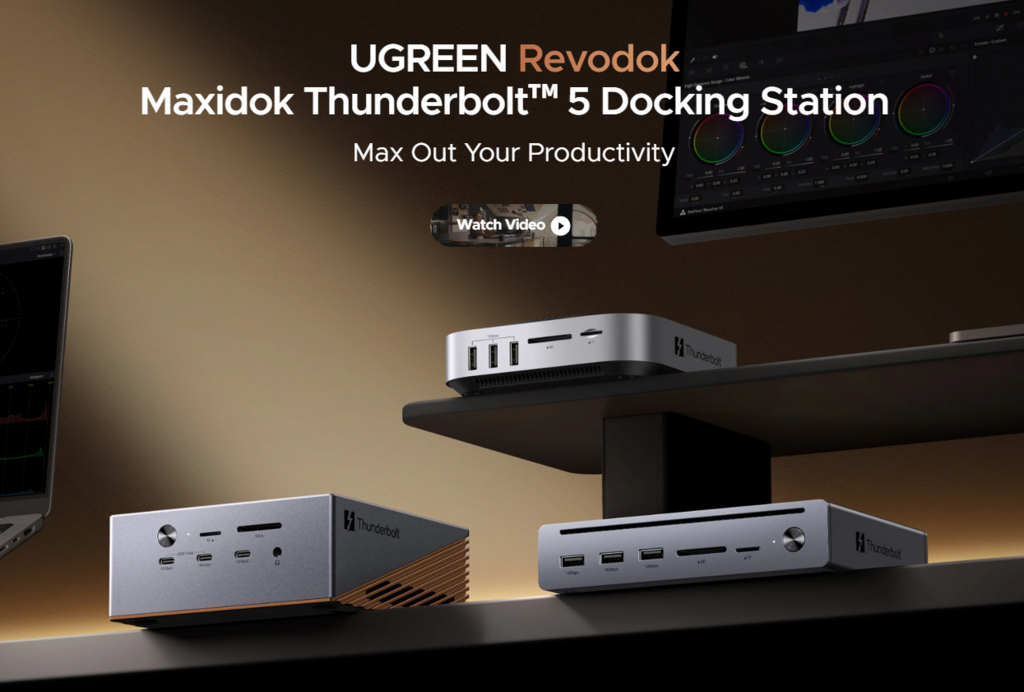
This is where brands such as UGREEN fit naturally into the conversation. For many MacBook users, the appeal of a dock is not simply that it adds more ports. It is that it offers a more considered way to organise a modern workspace, replacing short-term fixes with a more reliable connection hub.
Sustainability also means avoiding overbuying
A sustainable setup is not necessarily the most expensive or most advanced one. In fact, overbuying can be just another form of waste. If a user only needs one or two displays, reliable charging, external storage and a few peripherals, buying far beyond that requirement may not make the workspace meaningfully better.
That is why choosing the right dock starts with honest needs. A student using a MacBook Air does not require the same desk infrastructure as a video editor using a MacBook Pro. A hybrid worker in a small flat does not need the same setup as a studio professional. The best dock is the one that supports the actual workflow with enough room to grow, without turning the desk into an overbuilt technical project.
For many users, a thunderbolt 4 dock hits that balance. It is capable enough to feel premium and long-lasting, but not so specialised that it only makes sense for a narrow group of extreme workflows.
The long-term value of a stable desk
The most sustainable technology is often the technology people continue to use because it works well. A docked MacBook setup that is easy to reconnect, pleasant to work at and flexible enough for changing needs is more likely to remain in service. It reduces frustration, makes older peripherals more useful and helps the MacBook feel like part of a complete working environment.
That matters in the UK’s current hybrid working culture. Many people are no longer setting up temporary home offices. They are building long-term workspaces in real homes, often with limited room and mixed personal and professional use. In that context, every piece of desk equipment has to justify its place.
A good dock justifies its place by making everything else work better.
Conclusion
The thunderbolt 4 dock is often sold as a productivity upgrade, but it can also be seen as a longevity upgrade. It helps MacBook users build desks that are cleaner, more stable and less dependent on disposable adapters. It gives existing monitors, storage devices and peripherals a more permanent role. It helps a MacBook Air feel more complete and a MacBook Pro feel more like a proper workstation.
For anyone choosing a macbook air dock, the goal is often to preserve portability while making the laptop more useful at a desk. For anyone choosing a macbook pro dock, the goal may be to create a more dependable base for serious work. In both cases, the dock can help the whole setup last longer.
Sustainable tech is not always about buying less technology. Sometimes it is about buying the right piece of technology once, then using it to make everything else work better for longer.